Kitchen Sense

Four minutes is never four minutes.

Recipe times assume a stove, a pan and an oven that are not yours. Kitchen Sense asks two to five tap questions about what you are actually cooking and builds the countdown from your answers.

Get it

Coming to the App Store Coming to Google Play
  • 68 dishes
  • No account
  • Works offline
The Kitchen Sense countdown: a marigold tile counting down popcorn towards 3:10, with the instruction to listen for the pops to slow to one a second.

Why the times are wrong today

01

A recipe writes one number

Boil for four minutes. It cannot know how big your eggs are, whether they came out of the fridge, or that you lowered them into water already boiling.

02

Those choices are minutes

Cutting a carrot into matchsticks instead of thick coins changes the time more than any dial on your hob. Kitchen Sense asks, then does the arithmetic.

03

Your kitchen is not the test kitchen

Your pan is heavier or thinner, your hob runs hot or lazy. No recipe can adjust for that. Something that watches your results can.

One cook, start to finish

Popcorn on the stove, in four screens.
STEP 01

Find the dish

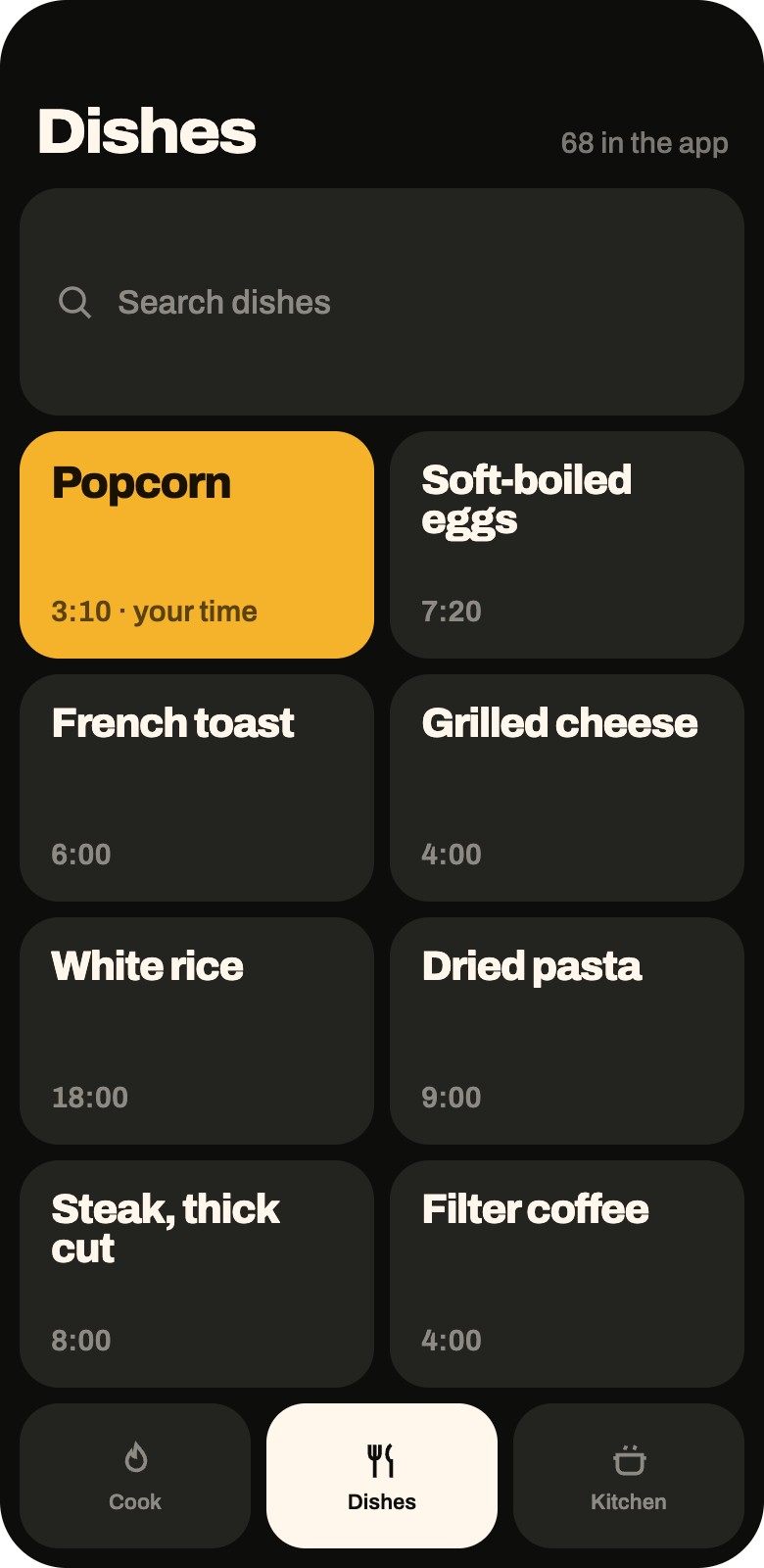
68 of them, from a boiled egg to a tray of roast vegetables. Search it, or take the one you cooked yesterday — the list reorders around what you actually make.

The Dishes screen: a search field and a scrolling list of dishes with baseline times, over a three-tile navigation bar.
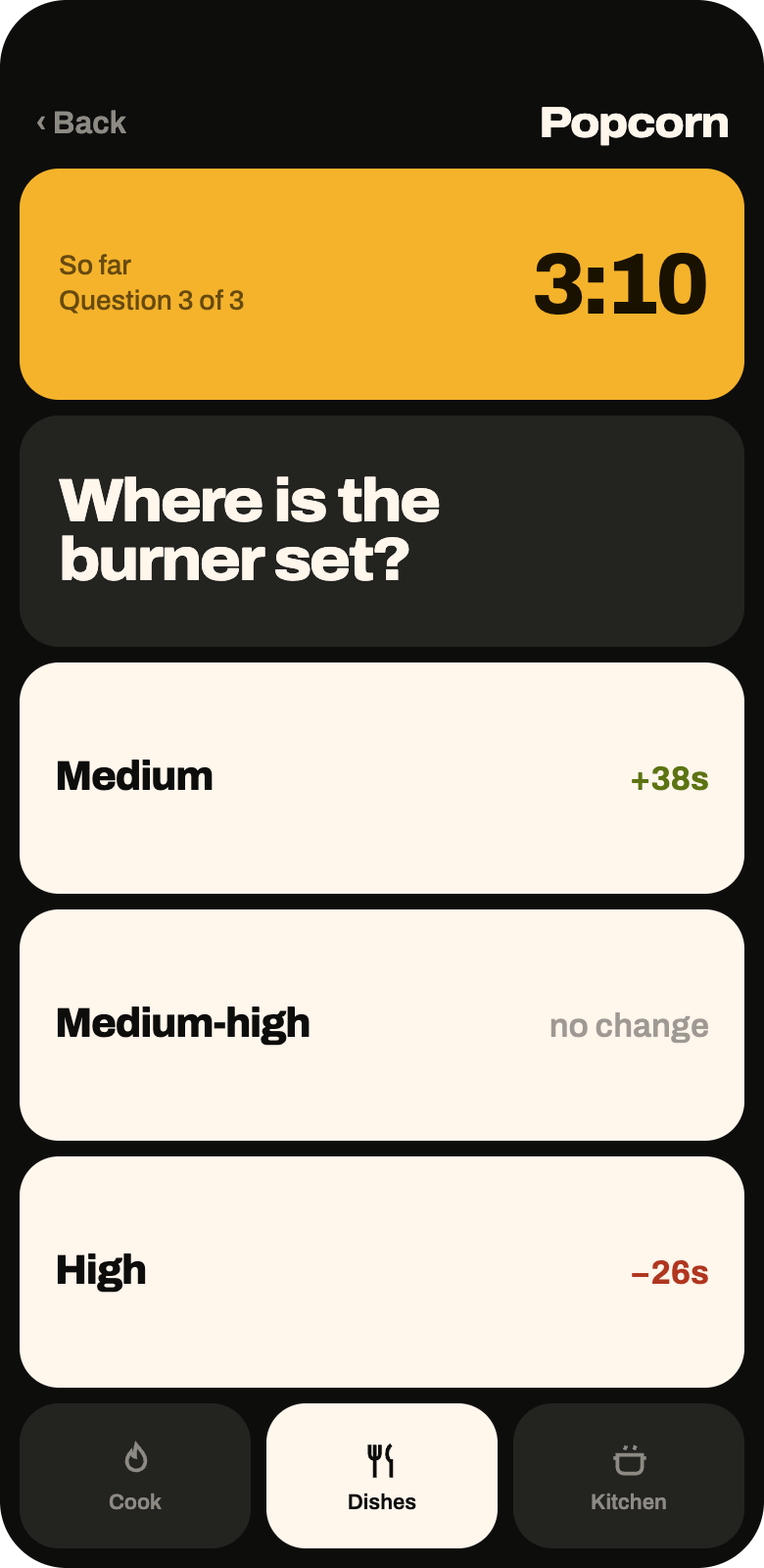
Question three of three for popcorn: where is the burner set? Medium adds 38 seconds, medium-high is no change, high takes 26 seconds off. A marigold tile shows the estimate so far at 3:10.
STEP 02

Answer two to five taps

What oil, how many kernels, where the burner is set. Every option carries what it does to the time, recalculated against the answers you have already given. You can see the inputs matter before the clock starts.

Every answer is a tap — nothing to type, and no account to make first.

STEP 03

A countdown you can read across the kitchen

3:10, because of what you said — not because a recipe rounded it. Under the digits, the thing to do with your hands right now. Add thirty seconds, pause, or hold to stop.

The countdown under a minute: a lime tile counting down the last seconds, with the caption nearly there, stay with it.
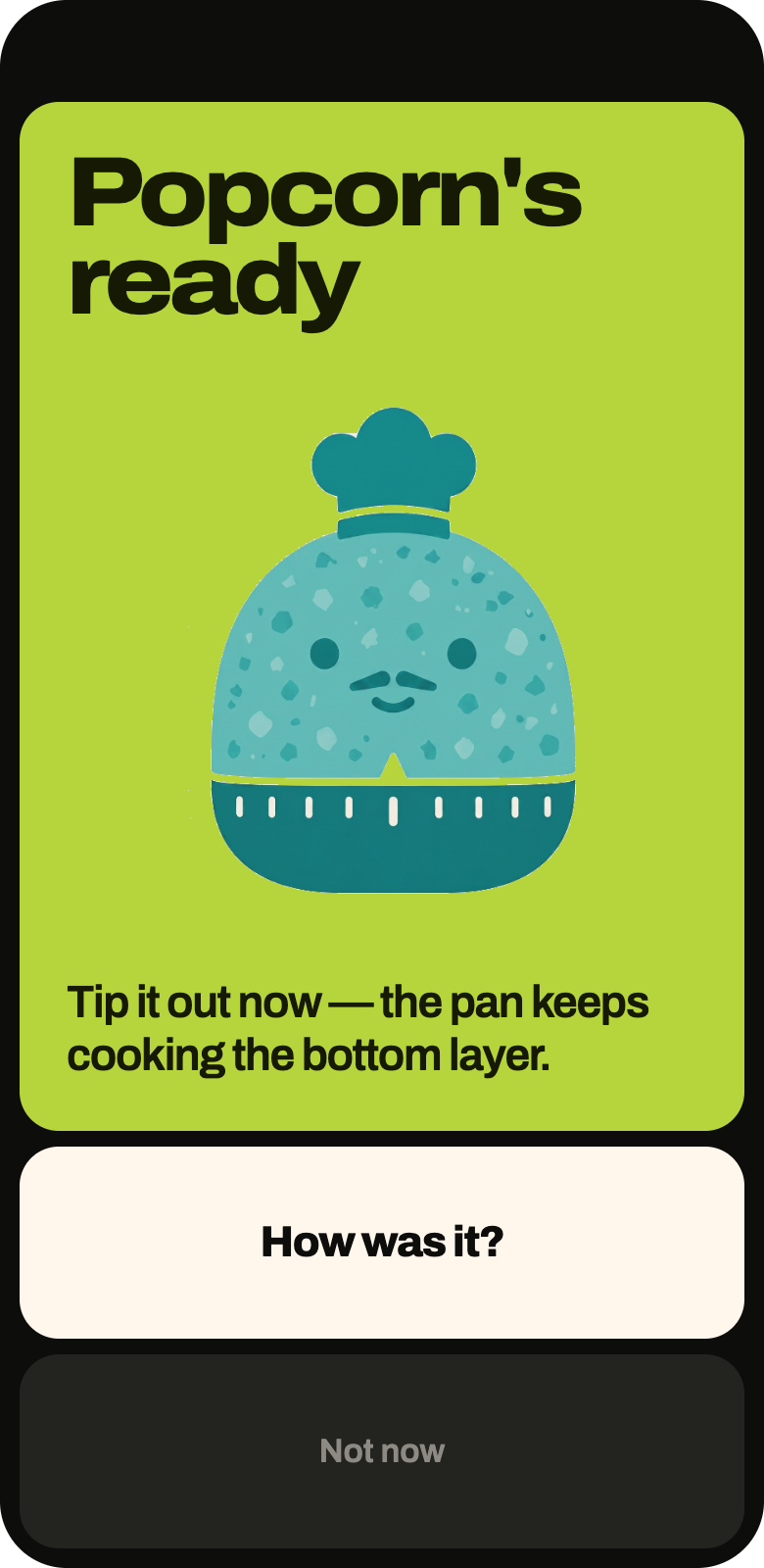
The done screen: a lime board reading Popcorn's ready, Sensei the kitchen timer with a chef's hat beneath it, and the instruction to tip it out now because the pan keeps cooking the bottom layer.
STEP 04

Ready — and what to do next

The alarm is not the end of the cook. Take the pan off the heat, lift the lid away from you, tip it out before the bottom layer catches. Sensei says the next physical thing, then gets out of the way.

THE PART NOTHING ELSE DOES

Then it learns your kitchen

One tap after the cook: it came out right, it needed longer, it was too long. That rating moves the next timer for that dish. After a handful of cooks its numbers beat the recipe's, because they are about your pan and your hob rather than someone else's.

The adjustment is calculated on your phone, from your own history. Other people's cooking never changes your timer.

Sensei, the Kitchen Sense mascot: a wind-up kitchen timer with a face and a chef's hat. Sensei keeps the count. You tell him how it went.
The rating screen for popcorn: three tiles reading came out right, needed longer, and too long, plus an option to skip.
One tap, worded for the dish. Skipping it is fine — it just does not learn from that one.

Dark or light, whichever your phone is

Same tiles, same sizes, inverted board. A kitchen at seven in the morning is not a kitchen at nine at night. Two screens, both ways.

The home board in dark mode: a marigold tile counting down popcorn, with tiles for soft eggs, grilled cheese, rice, pasta and coffee below.
HOME · DARK
The same home board in light mode, on an oat board with cream tiles.
HOME · LIGHT
The countdown in dark mode: a marigold tile on a black board.
COUNTDOWN · DARK
The same countdown in light mode: a marigold tile on an oat board.
COUNTDOWN · LIGHT

What it costs, honestly

FREE

All 68 dishes

Every question flow, every countdown, the whole library — and it stays free.

ONE PURCHASE

$9.99, once

Applies the personal adjustment to your timers. The free app still records your cooks, so buying it later starts you already tuned.

Stop guessing at four minutes

iOS and Android. Free to use, one optional purchase, no account. It works with the network switched off.

Coming to the App Store Coming to Google Play